Legends of the Condor Heroes

Jiang Yun Xing /Quercus Books

I’ve been enjoying the classic series Legends of the Condor Heroes by Jin Yong so much. I just started book four, A Heart Divided, which is the final book of the translated series. The story is so much fun!

The story is Wuxia, or ancient martial-arts heroes genre. Do you know the film Crouching Tiger, Hidden Dragon? That is a good example of Wuxia.

When I started the first book, A Hero Born, I was a bit overwhelmed by the list of characters at the beginning. What was I getting myself into? But soon, I was caught up in the story, and the character list came in handy to refresh my memory.

I was very curious as to how they could describe the fast-paced action of the wuxia movies, but Jin Yong (and the book translators) do an amazing job of imaginatively describing and naming the different moves and it’s incredibly fun to follow along. I love the heroes, and love to hate the villains. My favorite character is Cyclone Mei, who is featured in the illustration above. She’s one of the villains, but… it’s complicated! 😀

I read the popular She Who Became the Sun by Shelly Parker-Chan, but didn’t enjoy the story or characters at all. The Legends of the Condor Heroes is way more my type of book.

There’s a Chinese television series from 2017 that I will watch after I finish the books. Besides spoilers, I don’t want my imagined versions of the characters to be influenced by the actors in the drama. I prefer to look to the illustrations (which are sparse) from the book.

For more info, you can read this article from Alan Yu at NPR about Jin Yong and his amazing series.

Okay, back to A Heart Divided!
New Computer for Me

Photo info: FUJIFILM X-E4, 27mm, f/2.8, 1/100 sec, ISO1000
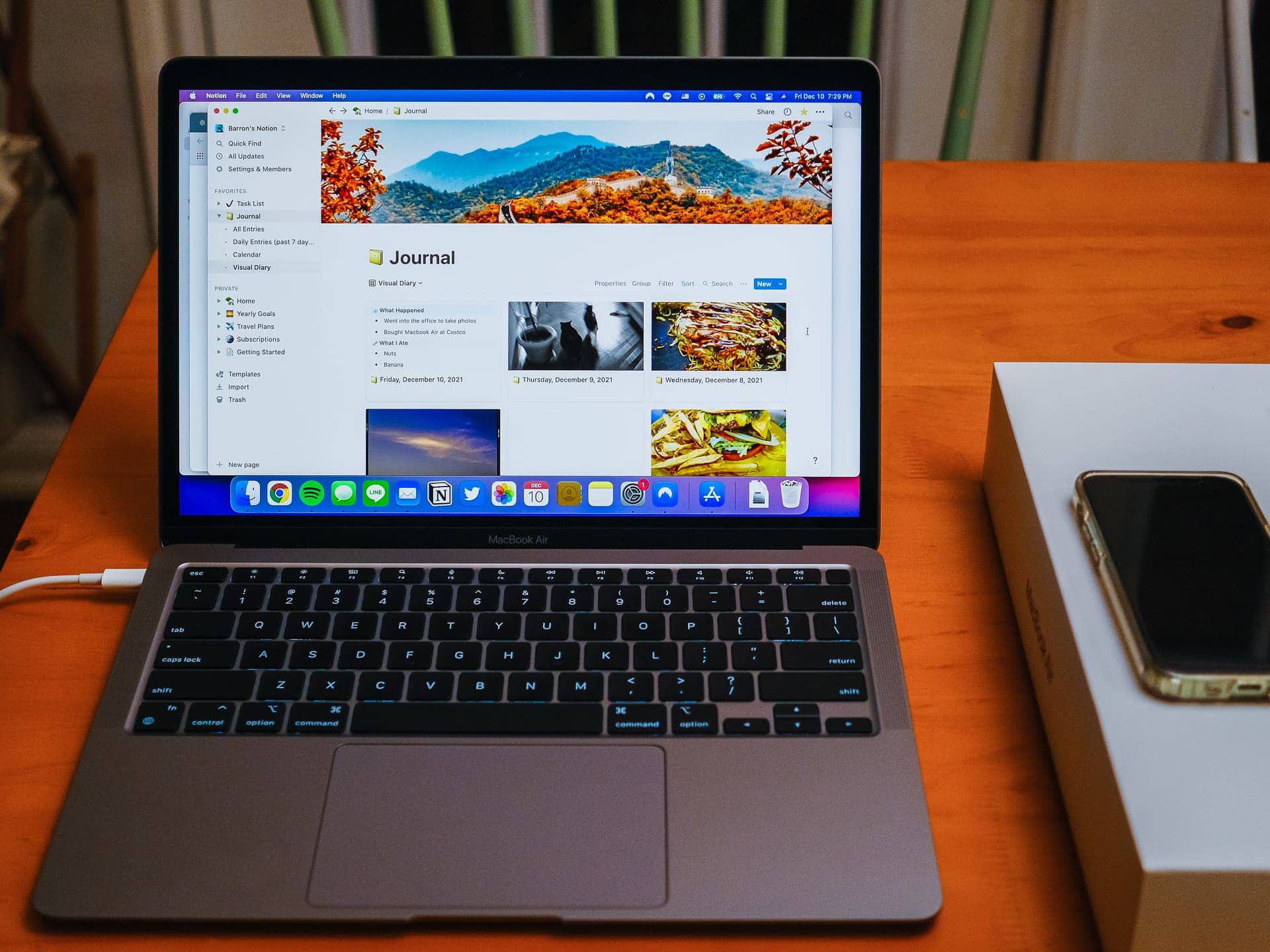
“Macbook Air” Cedar Park, 2021

Today I bought a new MacBook Air to use as my main computer. I’ve been using a Dell XPS desktop computer for several years now, and it has been great (and is still running nicely), but it’s a bit slow when working with video, especially 4K.

Instead of buying another Windows PC, I decided to join the rest of the family and get a Mac. Part of the reason was that I have an iPhone and iPad already, so it would be convenient to align my laptop with those. Another reason was that I could support Mariko better whenever she needed help with her MacBook Air (we now have the same model computer). And lastly, it is super-convenient to be able to write text messages using Messages on the laptop! Yes, that is HUGE.

I was worried that configuring a new machine to my workflow would be complicated and a huge hassle, but actually it was very easy. Not only are most of the applications the same between Windows and MacOS (and can be downloaded easily), but starting “fresh” and not copying over all the data from my old computer is refreshing. It feels like a very light and streamlined computing experience not having all that data sitting on the laptop’s hard drive. I still have everything on the Dell, plus two hard drive backups, but I’ve copied the things I regularly access to OneDrive/iCloud so that data is handy.

As for video editing, I am planning on using DaVinci Resolve exclusively. I used it briefly on my Windows machine, and I really liked it, but it kept crashing. With the new laptop, I should be able to use it with no problems! My other main use is photo-editing, and I’ll use the Adobe photographer subscription (Lightroom and Photoshop).

One major bummer I encountered was that when I upgraded MacOS from Big Sur to Monterey, the USB hub I was using lost functionality with the USB-A ports. The HDMI and USB-C parts of the hub still work, but I cannot attach my wired keyboard and mouse to it anymore. This is a known bug and there are numerous posts about it. I just wish I knew about it before I updated! Anyways, I am able to plug in my wired keyboard to the other USB-C port on the MacBook using a cheap adapter I got from Daiso, and I have a Bluetooth mouse on the way. So that problem will soon be moot, however I am hoping an OS update will fix the hub problem so that I can use the old USB ports for attaching my camera and USB thumb-drive.

Overall, I am enjoying using the MacBook Air. It’s very fast!

Cold-Weather Comfort Food

Photo info: FUJIFILM X-E4, 27mm, f/2.8, 1/40 sec, ISO800
“Oden” Cedar Park, 2021

I returned from 80° F Southern California sun to a chilly 50° F Texas gloom, but tonight’s dinner was the perfect antidote. A pot of delicious Japanese oden. The traditional 辛子 karashi (hot mustard) was perfect with it, but I also kicked it up a notch by adding some fresh (homegrown by my mom) scotch bonnet to the broth in my bowl. 🌶 I was toasty warm after that meal for sure!

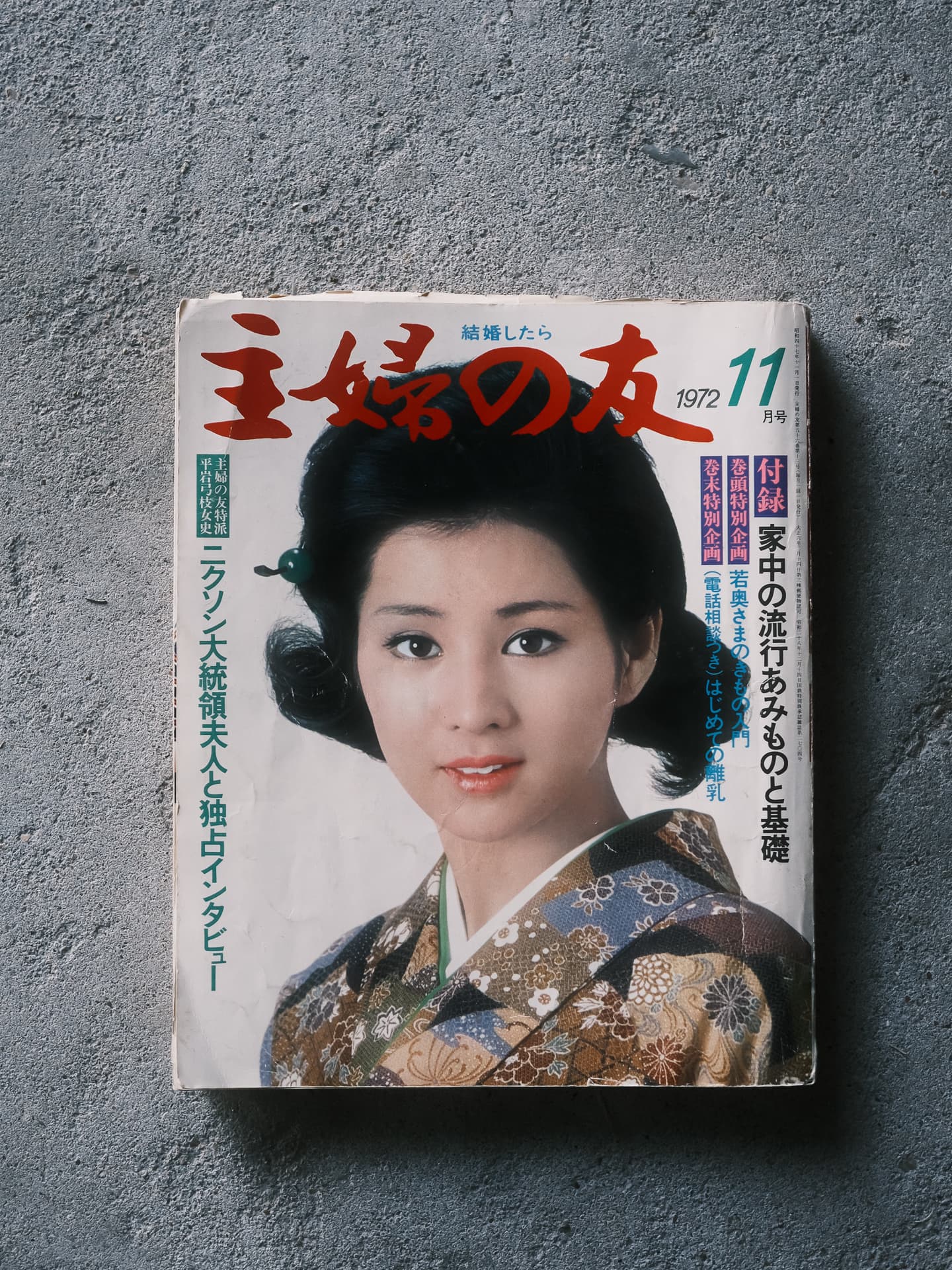
Japanese Magazine from 1972

Photo info: FUJIFILM X-E4, 27mm, f/2.8, 1/100 sec, ISO1250
“Old Magazine” Cedar Park, 2021

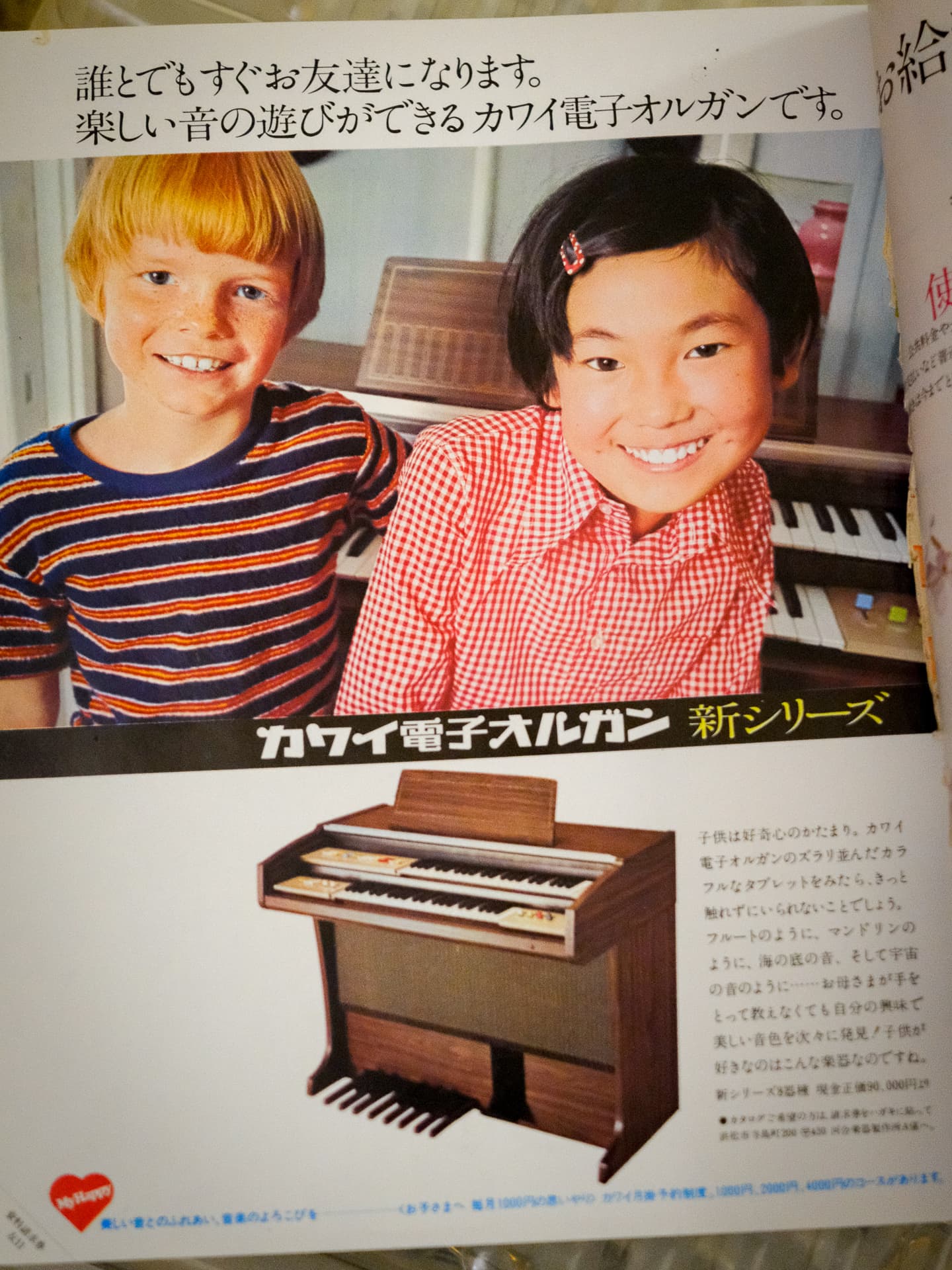
Mariko had put this women’s magazine from 1972 into the recycling box, but I love the style of it, so I rescued it and have been enjoying looking through the ads and photos. There are lots of cool rice cookers, appliances, and who-knows-what-else! I also love the designs and fonts… they are so cool.

It’s also kind of fun to think that my Peugeot bicycle, Sophie, is the same age as this magazine. They are literally of the same era. 😄

Photo info: FUJIFILM X-E4, 27mm, f/3.6, 1/13 sec, ISO800
“Rice Cooker” Cedar Park, 2021
Photo info: FUJIFILM X-E4, 27mm, f/2.8, 1/90 sec, ISO3200
“Organ” Cedar Park, 2021

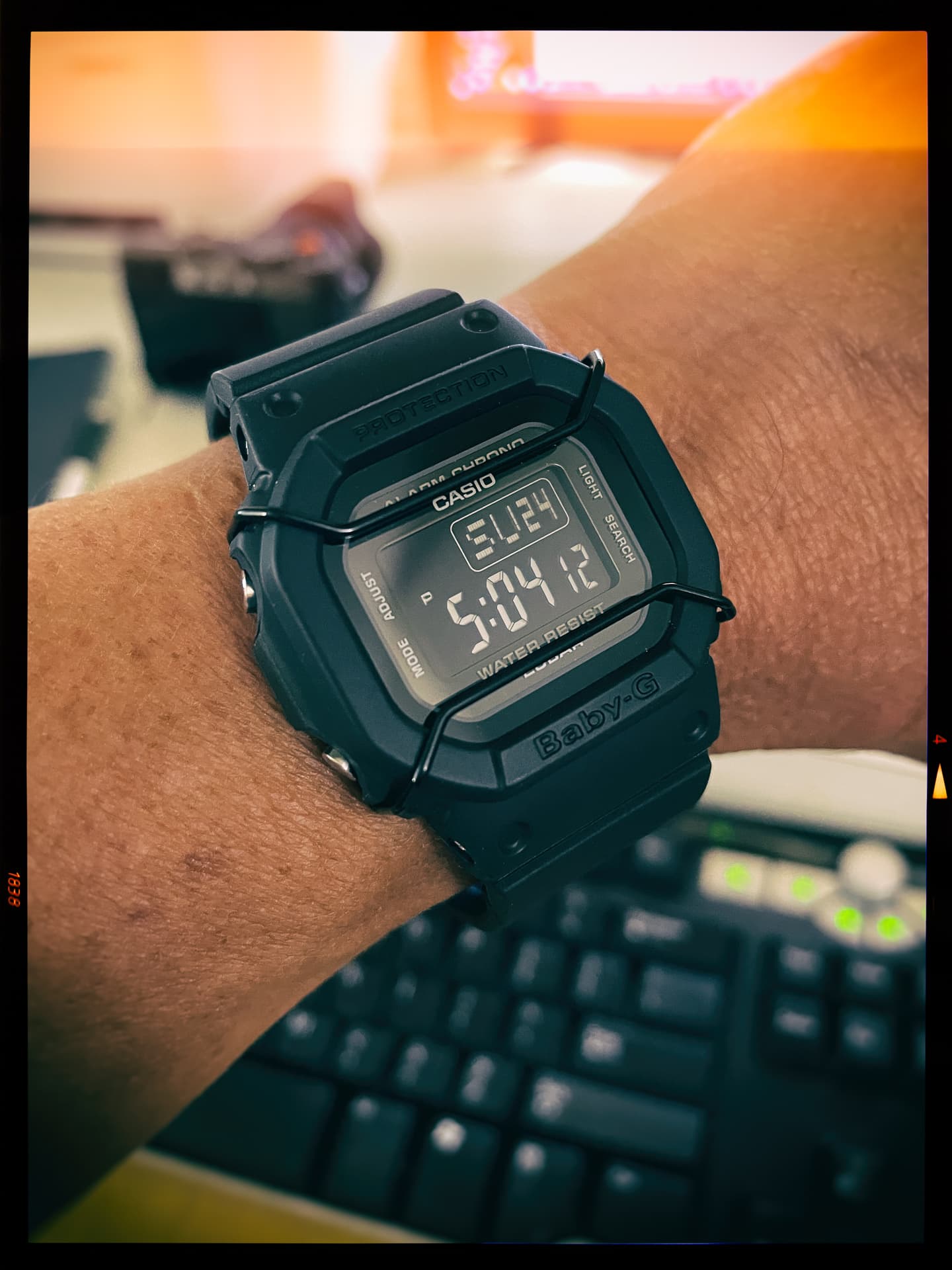
New Watch – Casio Baby-G BGD-501-1JF

Photo info: Apple iPhone 12 mini, 4.2mm, f/1.6, 1/30 sec, ISO500
“Baby-G” Cedar Park, 2021

For my birthday, I treated myself to a new watch: the Casio Baby-G BGD-501-1JF. I’ve always thought Baby-Gs (women’s version of the G-Shock) were really cool ever since Mariko had one back when I first met her in the late 90s, and lately I’ve seen the G-Shock black-out version which looks really cool. However, it’s a large watch for my 6.75-inch wrist (plus I have a couple other large watches already).

Enter the Baby-G version of the black-out watch. It’s pretty much the same design except in a slightly smaller package. I think it’s the perfect size for my wrist! And like the big brother G-Shocks, this particular Baby-G has 200-meter water resistance (most Baby-Gs have 100-meter). It also has the little wire guard that should offer more protection from scratches.

There are a couple of cons to the Baby-G, though. First, the display is a bit hard to read sometimes. That’s just a tradeoff for having a black-out style. Secondly, the light doesn’t stay on long enough. I think it should stay on for at least three seconds, but this Baby-G’s light stays on for only one. Not a huge deal, but still annoying.

All in all, I love my new watch. It’s definitely the most comfortable watch I own (even compared to my lighter Casio W800H-1AV). It sits so well on my wrist that I often forget I am wearing it and wake up to realize that I’ve worn it all night. That would never happen with my beloved Seiko SKX-007. 😁

To make room for the new watch, I have put an older Casio I have up for sale. No takers so far, but we’ll get it sold someday!