Stream Deck Neo

Photo info: Apple iPhone 15 Pro, 2.2200000286119mm, f/2.2, 1/80 sec, ISO320
“Stream Deck Neo” Cedar Park, 2025

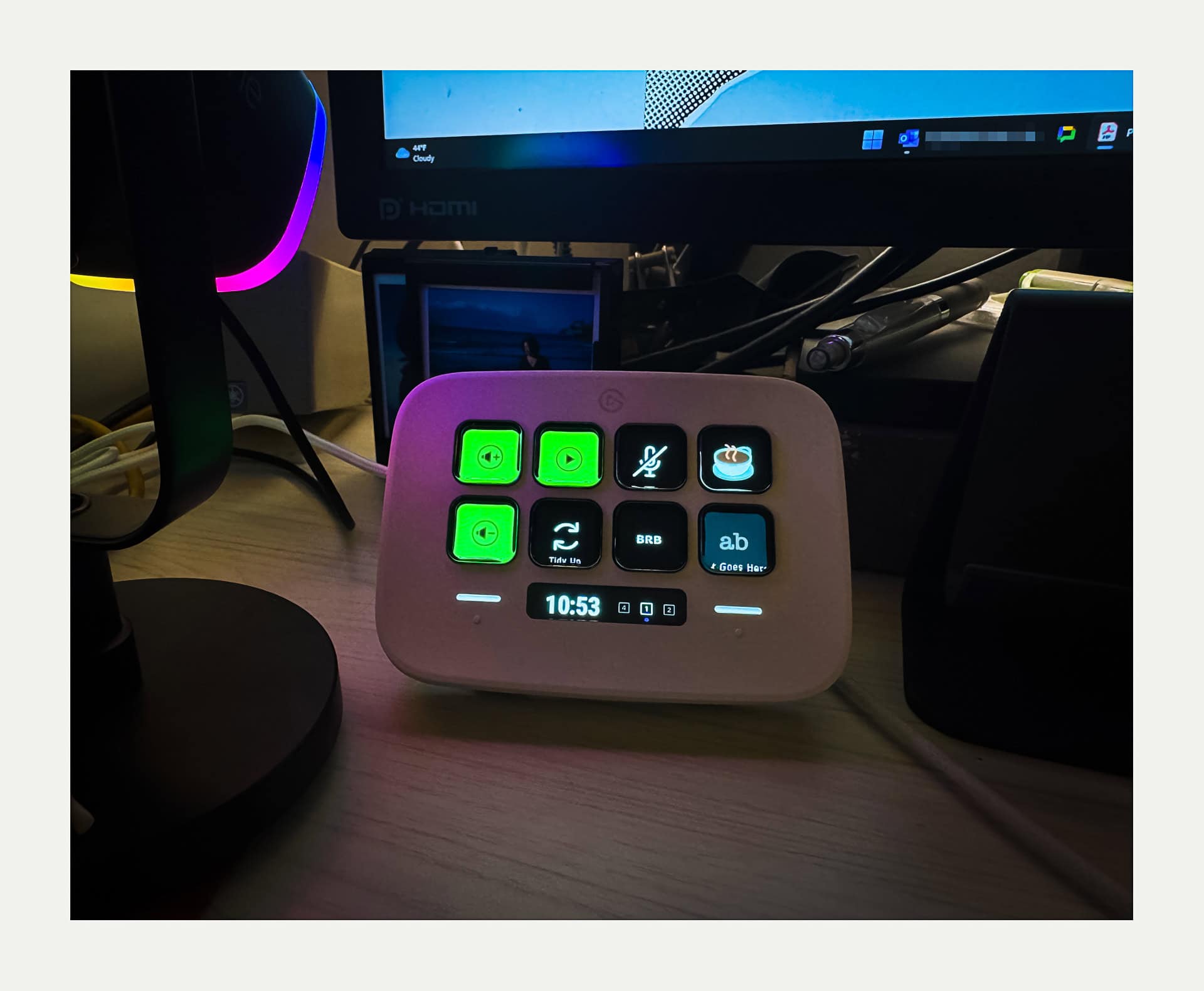
I added a new gadget to my streaming setup this week, a Stream Deck Neo. It had been sitting on my wishlist for a while, but it did not go on sale for Black Friday. When I checked again on Cyber Monday, the price had dropped, so I jumped on it right away.

Before buying the hardware, I had been testing Stream Deck Mobile on my iPhone and setting up all my streaming commands there. That gave me a good feel for how the system works and made the decision to buy the physical device much easier. If you are not familiar with it, a Stream Deck lets you trigger commands and actions with the press of a button instead of digging through apps and menus on your computer.

This is especially helpful for me because I stream on my MacBook Air. Whenever I switch between apps while OBS is running, it can cause lag and choppiness in the stream. With the Stream Deck, I can control Spotify, adjust volume, mute my mic, send chat messages, and toggle OBS overlays without ever touching those other apps. It is incredibly handy and, honestly, pretty fun to use.
Messy Cables

Photo info: Apple iPhone 12 mini, 4.2mm, f/1.6, 1/60 sec, ISO320
“The Mess” Cedar Park, 2023

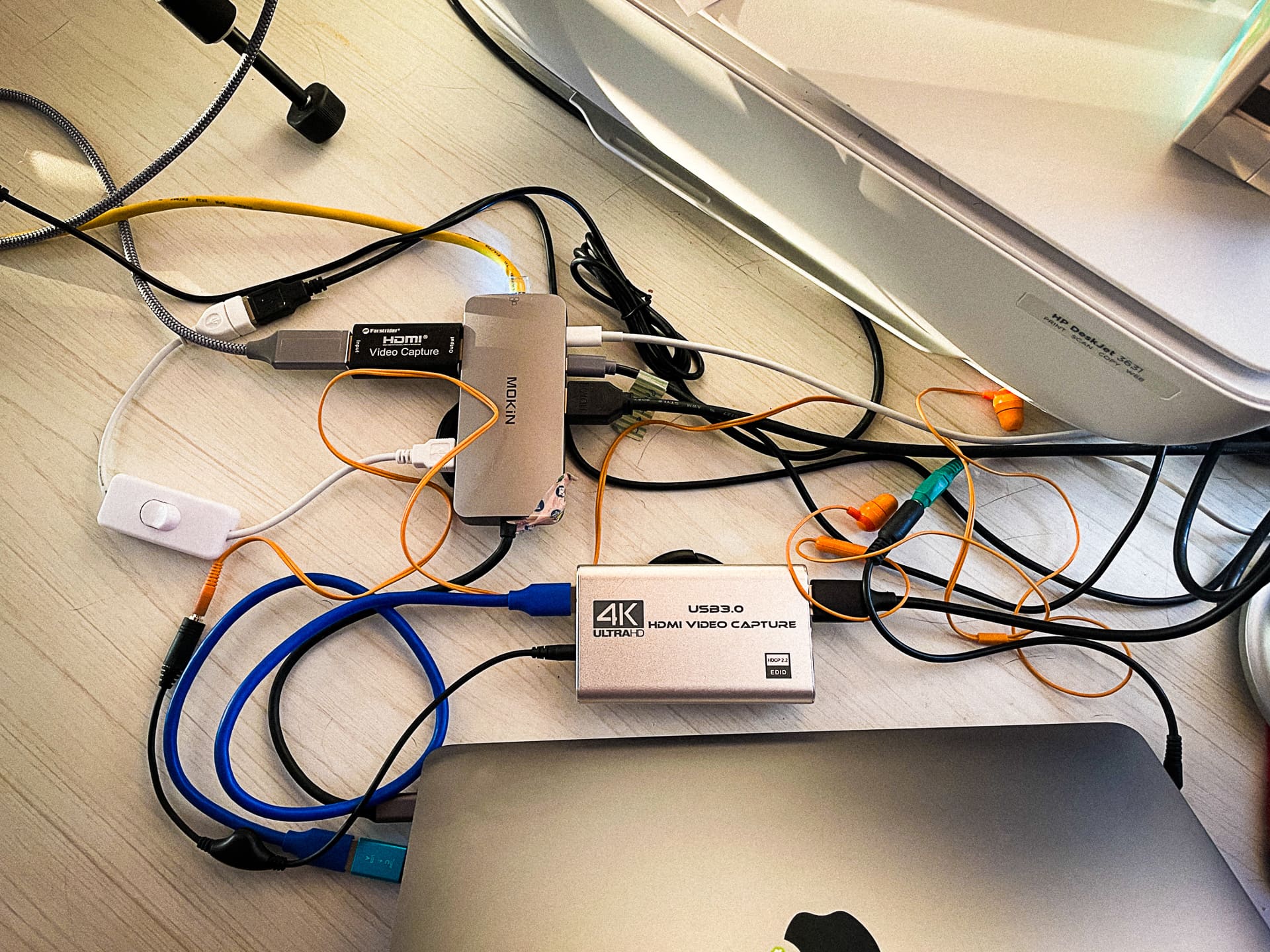
Today’s photo is of the mess of cables that are sitting behind my laptop. It’s a poor man’s streaming setup, but gets the job done! For my daily co-working stream, I just have a small HDMI capture dongle for my camera, but I recently added a larger capture device so I can plug my Nintendo Switch in and stream some Splatoon gaming. All of the computing work is done on my Macbook Air M1, so the quality of the output is not the best. However, streaming is just a fun hobby and way to keep myself accountable so I don’t want to invest too much into it, monetarily nor mentally. 😄

Adjusted Streaming Configuration

Photo info: Apple iPhone 12 mini, 1.55mm, f/2.4, 1/120 sec, ISO200
“Streaming Setup” Cedar Park, 2022

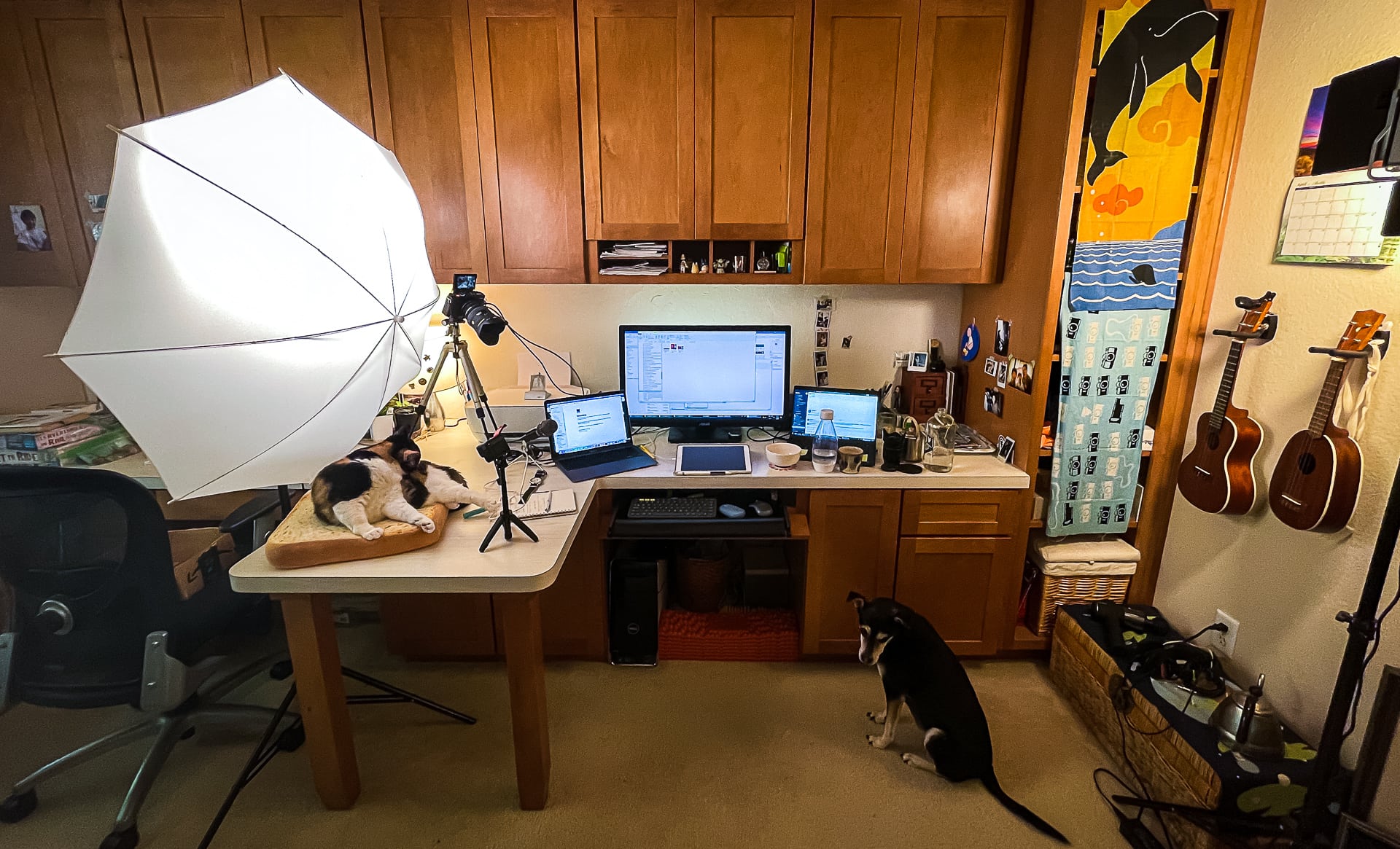
I have adjusted my humble streaming setup a bit. I saw a fellow co-working streamer’s camera view, which is more of a top-down desk angle, and I really liked it so I put my Sigma ultra-wide angle lens on the Fujifilm X-E4 and tried to replicate it. I think I like this angle better.

I’ve also added a “critter-cam”, which is a second camera (my GoPro Hero9) which is dedicated to showing whatever pet happens to be around while I am streaming. 😁

I also changed my stream URL. Please come join me at my Twitch channel if you need a virtual co-worker, or just want to see Yuzu, Anko, or Lani.

Twitch Streaming

Photo info: FUJIFILM X-E4, 27mm, f/4.5, 1/100 sec, ISO1600
“Streamer Setup” Cedar Park, 2022

I’ve recently gotten interested in live-streaming on Twitch. I’ve followed a few people who have “co-working” live-streams where they just work, and the live-stream helps keep them accountable. Viewers can also work at the same time and it’s like a little co-working team. Fun!

I am so interested in it that I took the extra step and set up my own live-stream, which alternates between working, and a ukulele break. 😀 🎶

I have also started using the Pomodoro method of working for 25 minutes, then taking a 5 minute break. This is also common amongst co-working live-streamers and I have to say that it has improved my productivity. And it makes the work day go by quickly.